
Creating a professional email address is no longer optional for businesses. Whether you are a freelancer, startup founder, agency owner, or running a local shop, email is often the first digital impression you make. A generic address like yourname@gmail.com can work in early stages, but it does not inspire the same trust as a branded address such as you@yourbusiness.com.
This detailed guide explains How to create a Gmail business account the right way in 2025. It covers every option, clears common confusion, and walks you through the exact steps using Google’s official tools. The goal is not just account creation, but helping you choose the correct setup based on your business stage, budget, and long-term plans.
This article is written for beginners and non-technical users, but it goes deep enough to answer advanced questions business owners usually ask before committing money or migrating email.
Also Read: How to Synchronize Notes Across Devices Without Using Any App
Understanding What a Gmail Business Account Really Means
Before jumping into steps, it is important to clear a very common misunderstanding.
There is no separate product officially called “Gmail Business Account.” What people usually mean by this term falls into two different categories:
- A professional email address with your own domain, powered by Google Workspace
- A free @gmail.com account used specifically for business purposes
Both are valid in certain situations, but they are not equal in features, credibility, or scalability. Understanding this difference will save you from costly mistakes later.
Why Google Workspace Is the Real Business Gmail Solution
If you want an email like info@yourcompany.com or sales@yourbrand.in, you must use Google Workspace. Regular Gmail accounts do not support custom domains.
Google Workspace is a paid subscription service from Google that bundles Gmail with business-grade tools such as shared calendars, cloud storage, admin controls, and video meetings.
When people search for How to create a Gmail business account, they are almost always looking for this option, even if they do not realize it yet.
Key Differences Between Free Gmail and Google Workspace Email
Understanding the difference upfront helps you decide correctly.
Free Gmail Account (@gmail.com)
A free Gmail account is suitable if:
- You are a solo individual testing an idea
- You do not need a custom domain
- You want zero monthly cost
- You do not need admin or team controls
Limitations include shared storage, no domain branding, no centralized management, and limited professional credibility.
Google Workspace Business Email (Custom Domain)
A Google Workspace account is designed for:
- Businesses and startups
- Freelancers working with international clients
- Agencies and teams
- Anyone who wants brand trust and scalability
You get professional email addresses, higher storage limits, business support, and full administrative control.
Why Businesses Prefer Gmail for Professional Email
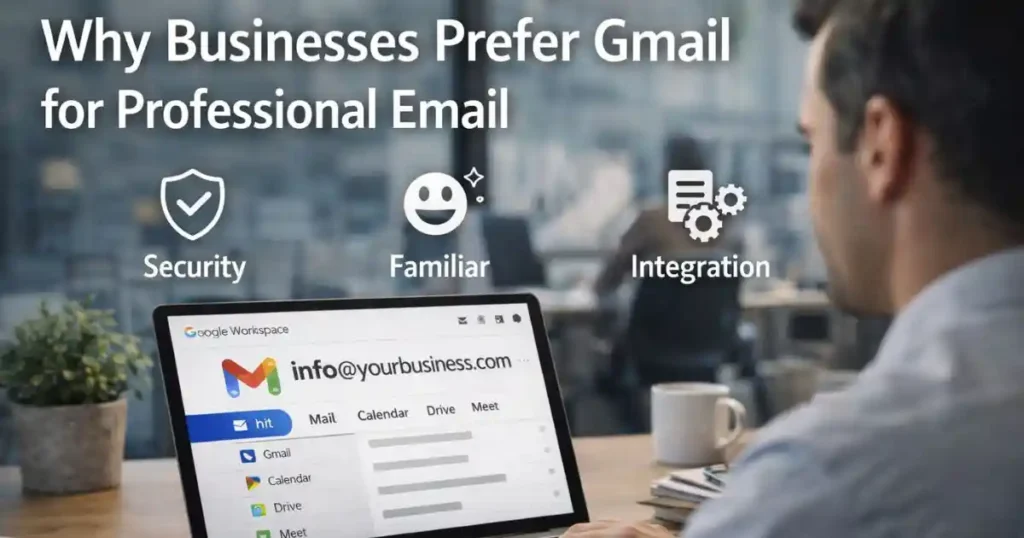
Many businesses choose Gmail over other email providers for a few clear reasons.
First, Gmail’s spam protection is among the best in the industry. Important client emails rarely end up in spam folders. Second, the interface is familiar, reducing training time for teams. Third, Gmail integrates seamlessly with tools most businesses already use.
When powered by Google Workspace, Gmail becomes a serious business communication platform rather than just a personal inbox.
What You Need Before Creating a Gmail Business Account
Before starting the setup, prepare the following:
- A business name (registered or unregistered)
- A domain name (optional at the start, mandatory eventually)
- A working phone number
- An existing email address for recovery
- A debit or credit card for billing after the free trial
You do not need technical knowledge. Google’s setup process is beginner-friendly.
Step-by-Step: How to Create a Gmail Business Account Using Google Workspace
This is the most important section of the guide. Follow these steps carefully.
Step 1: Visit the Google Workspace Sign-Up Page

Go to the official Google Workspace website and click Get started or Start free trial.
Google usually offers a 14-day free trial, allowing you to test everything before paying.
Step 2: Enter Your Business Information
You will be asked for:
- Business name
- Number of employees
- Country or region
If you are a solo founder or freelancer, choose “Just you.” This does not limit features and can be changed later.
Step 3: Add Contact Details

Google asks for:
- Your full name
- A current email address (this can be your existing Gmail)
- A phone number
This information is used for verification and account recovery, not marketing spam.
Step 4: Choose Your Domain Name
This is where many people get confused.
You will see two options:
Option A: I Already Have a Domain
Choose this if you already own a domain like yourbusiness.com.
You will enter the domain name, and Google will later ask you to verify ownership.
Option B: I Need a Domain
If you do not have a domain, you can buy one directly through Google during setup. Prices typically range from $12 to $20 per year depending on extension.
Buying through Google is convenient, but you can also purchase from providers like GoDaddy or Namecheap separately.
Step 5: Create Your Admin Account

Now you create your primary business email address, usually something like:
- admin@yourbusiness.com
- founder@yourbusiness.com
This account becomes the administrator with full control over users, billing, and security.
Choose a strong password. This account is critical for your entire Workspace setup.
Step 6: Choose a Google Workspace Plan
As of 2025, common plans include:
- Business Starter
Best for small teams and freelancers. Includes 30 GB storage per user. - Business Standard
Suitable for growing teams. Includes 2 TB storage per user and advanced collaboration features. - Business Plus
Designed for larger teams with compliance and security needs.
You can upgrade or downgrade plans later.
Step 7: Verify Your Domain Ownership
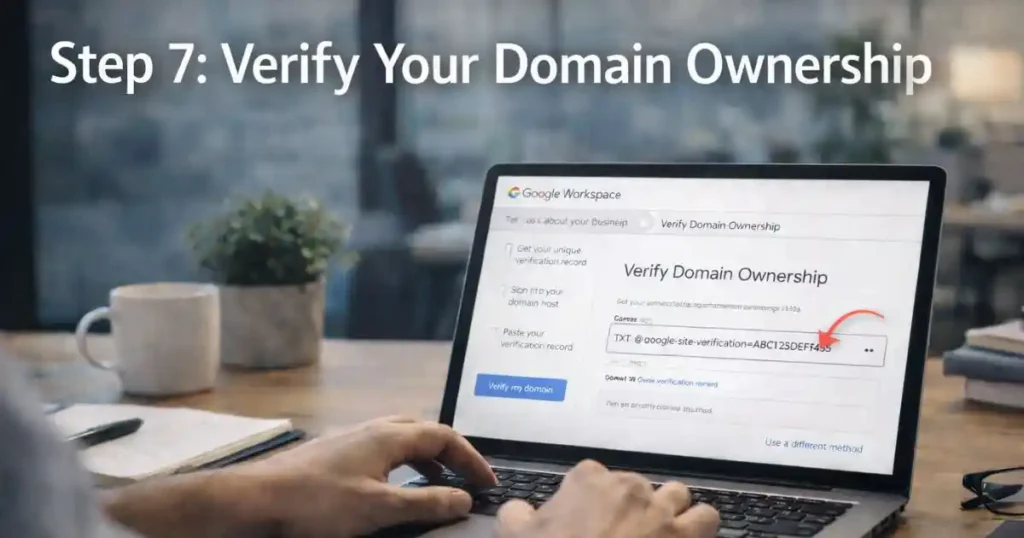
Domain verification proves that you own or control the domain.
Google provides a TXT record that you must add to your domain’s DNS settings. This sounds technical, but most domain providers offer simple dashboards and Google provides step-by-step instructions.
Once verified, Google activates email sending and receiving.
Step 8: Set Up Email Routing (MX Records)
To receive emails in Gmail, you must point your domain’s MX records to Google’s servers.
This ensures that emails sent to your custom address arrive in your Gmail inbox.
Google’s setup wizard guides you through this process.
Step 9: Add Users and Email Aliases

From the Admin Console, you can:
- Create new users like sales@yourbusiness.com
- Add aliases like support@ or info@ that forward to main inboxes
- Set up shared mailboxes for teams
This flexibility is one of the biggest advantages of Google Workspace.
Also Read: How to Use Chrome Built In QR Code Generator: A Practical Guide
Using Gmail Business Email Day to Day
Once setup is complete, using your business Gmail feels exactly like regular Gmail, but with added power.
You can send branded emails, use labels, filters, and signatures, and access your inbox from mobile apps or browsers.
Everything syncs across devices automatically.
Collaboration Tools Included With Google Workspace
A Gmail business account is not just about email.
You also get:
- Shared Google Drive storage
- Real-time collaboration in Docs and Sheets
- Shared calendars for teams
- Video meetings using Google Meet
- Secure file sharing with permission controls
These tools reduce dependency on third-party software and keep everything under one ecosystem.
Option 2: Creating a Free Gmail Account for Business Use

If you are not ready to pay or do not need a custom domain yet, you can still create a free Gmail account specifically for business use.
Steps:
- Visit Google Account creation page
- Select “For work or my business”
- Choose a professional username
- Complete setup
This option works for early-stage founders, but it lacks branding and admin controls.
Key Comparison: Free Gmail vs Google Workspace (2025)
| Feature | Free Gmail | Google Workspace |
|---|---|---|
| Email format | name@gmail.com | name@yourbusiness.com |
| Storage | 15 GB shared | 30 GB to 5 TB+ |
| Admin controls | None | Full Admin Console |
| Team management | No | Yes |
| Support | Help center | 24/7 support |
| Cost | Free | Paid with free trial |
Common Mistakes to Avoid When Creating a Gmail Business Account

Many first-time users make avoidable mistakes.
- Choosing a poor domain name that limits brand growth
- Using personal admin emails instead of role-based addresses
- Skipping domain verification steps
- Not enabling basic security settings
- Creating too many users without planning costs
Planning ahead saves time and money.
Security Best Practices for Business Gmail Accounts
Security should never be optional for business email.
Enable:
- Two-step verification for all users
- Recovery email and phone numbers
- Admin alerts for suspicious activity
- Device management policies if using company laptops
Google Workspace includes advanced security features unavailable in free Gmail.
When Should You Upgrade Your Gmail Business Plan?

Upgrade when:
- Storage limits feel restrictive
- Your team grows
- You need shared drives
- Compliance or audit features become necessary
Workspace is flexible, allowing changes without losing data.
Is Google Workspace Worth the Cost?
For most businesses, yes.
The cost of Google Workspace is small compared to the value of professional branding, reliability, security, and productivity. Losing client trust due to unprofessional email costs far more in the long run.
Final Thoughts on How to Create a Gmail Business Account
Choosing the right email setup is a foundational decision for any business. While free Gmail accounts are fine for testing ideas, serious businesses benefit greatly from Google Workspace.
Now that you understand How to create a Gmail business account, you can confidently choose the option that matches your goals, budget, and growth plans.
FAQs: How to Create a Gmail Business Account
1. Can I convert my existing Gmail to a business account?
You cannot directly convert a free Gmail into a Workspace account, but you can create a new Workspace account and migrate emails.
2. Do I need a registered business to use Google Workspace?
No. Freelancers and individuals can use Google Workspace without formal registration.
3. Is Google Workspace free?
It offers a limited free trial, after which it becomes a paid service.
4. Can I cancel Google Workspace anytime?
Yes. You can cancel without long-term contracts.
5. Will my emails stop if I forget to pay?
Google usually provides grace periods, but uninterrupted service requires active billing.
Disclaimer: This article is for informational purposes only. Pricing, features, and policies may change over time. Always verify details on the official Google Workspace website before making decisions.
Also Read: How to Use Energy Saver Mode in Windows 11 for Longer Battery Life

Raj Prajapati is a skilled content writer dedicated to creating clear, step-by-step guides on technology, Health, and everyday solutions. With a focus on user-friendly and SEO-optimized content, he simplifies complex topics, helping readers learn and solve problems effortlessly.